Under-Desk Keyboard Trays for Small Desks: Check Clamp Space, Desk Thickness, and Leg Clearance Before You Buy
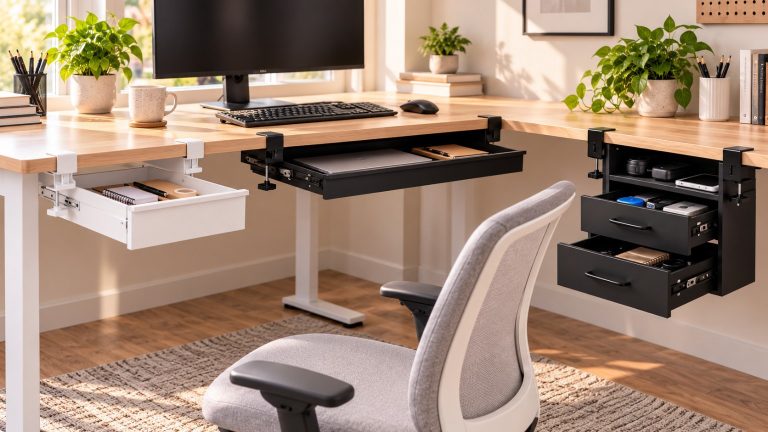
A keyboard tray can look like a simple way to free up desk space.
Clamp it to the front edge, slide the keyboard underneath, and you get more room on top for a monitor, laptop, notebook, or other small-workspace gear.
But for a small desk, the real buying problem is not just whether the tray exists under the desktop.
The tray has to fit the exact desk edge, clear the desk structure underneath, hold the keyboard and mouse you actually use, retract into the available underside space, and still leave enough room for your knees, legs, and chair.
That creates the central Fit-First rule for this guide:
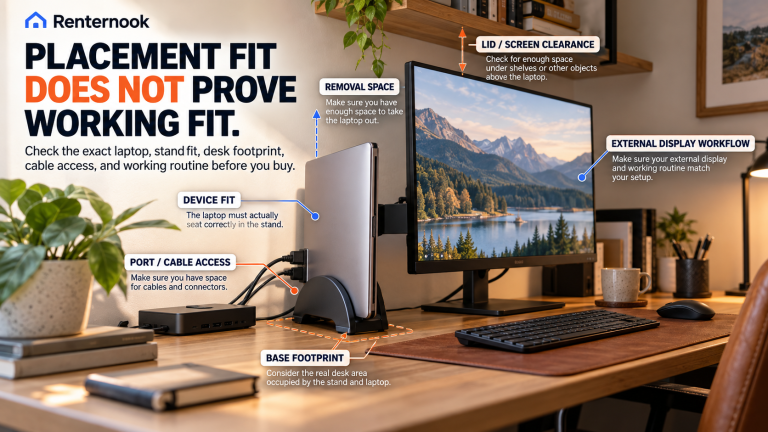
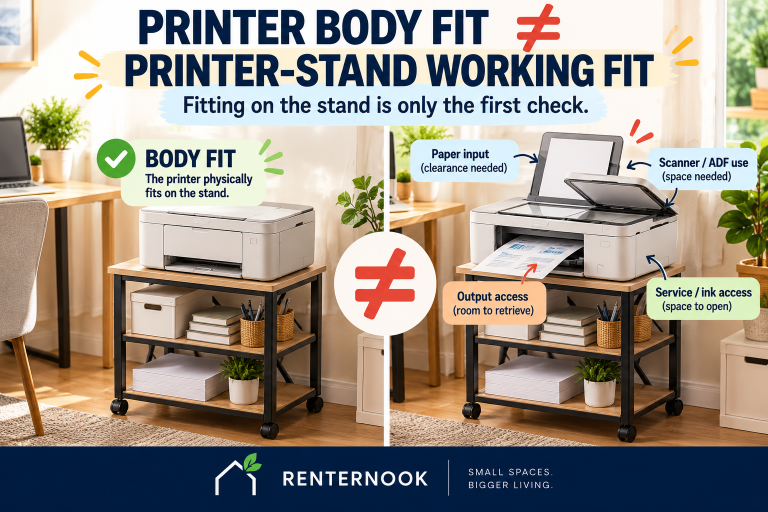
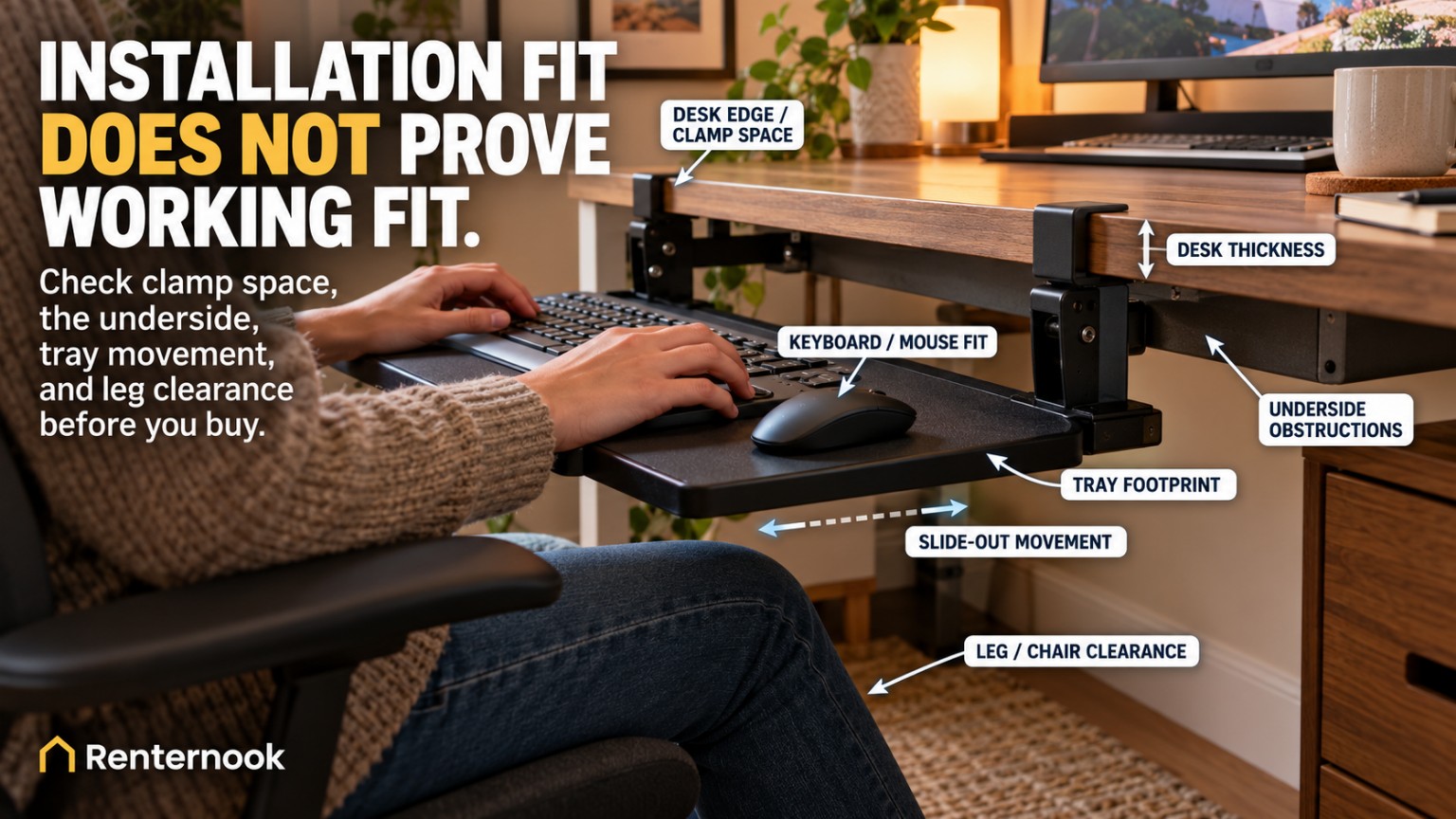
Installation fit does not automatically mean working fit.
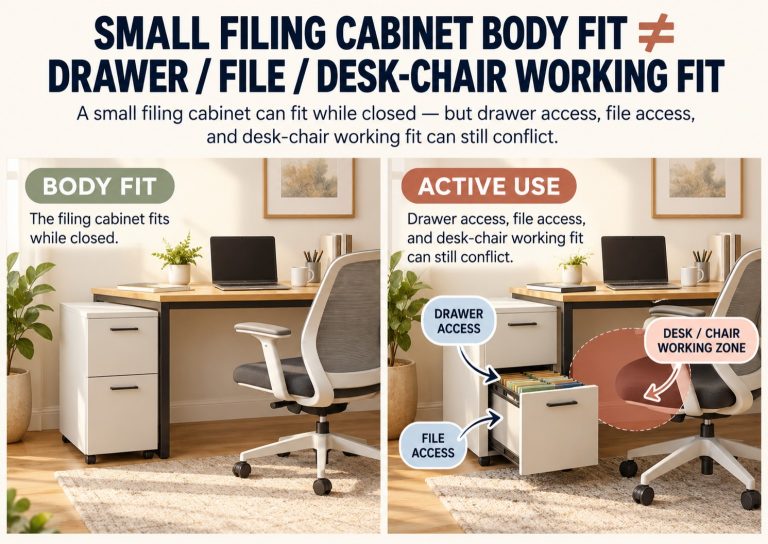
A tray can clamp securely to the desk and still fail in daily use because the desk apron blocks the clamp, a drawer conflicts with the rails, the stored tray occupies knee space, the keyboard and mouse do not fit comfortably on the tray surface, or the chair cannot move where you need it.
This guide compares two exact VIVO clamp-on keyboard tray roles:
- VIVO MOUNT-KB05HB — height-adjustable clamp-on role
- VIVO MOUNT-KB05D — fixed-height clamp-on role
They are not ranked from best to worst.
The purpose is to show how different mounting and height architectures change what you need to verify before buying.
Product links in this guide are direct, non-affiliate manufacturer links. Renternook did not physically test these trays. Published dimensions and installation details are based on VIVO’s official product pages and assembly manuals available during research. Recheck the current product page and exact model before buying.
Start With the Desk, Not the Tray
For a small desk, the easiest mistake is starting with the keyboard tray listing and asking whether the tray looks compact.
Start with the desk instead.
You need to understand the structure the tray is attaching to.
Check:
- desktop thickness;
- front-edge geometry;
- whether the front edge is flat enough for the clamp;
- any apron, frame, rail, crossbar, drawer, cable tray, support bracket, or control box under the desk;
- available width along the desk edge for both clamps;
- available depth under the desk for the sliding mechanism;
- the leg and chair space that remains after the tray is installed.
This is especially important on desks that look simple from above but have more structure underneath.
A flat desktop photo does not prove the underside is clear.
If you are still choosing the desk itself, see Renternook’s guide to desks for small spaces for a broader fit-first check of desk width, depth, under-desk geometry, and chair movement.
The 8-Part Keyboard-Tray Fit Check
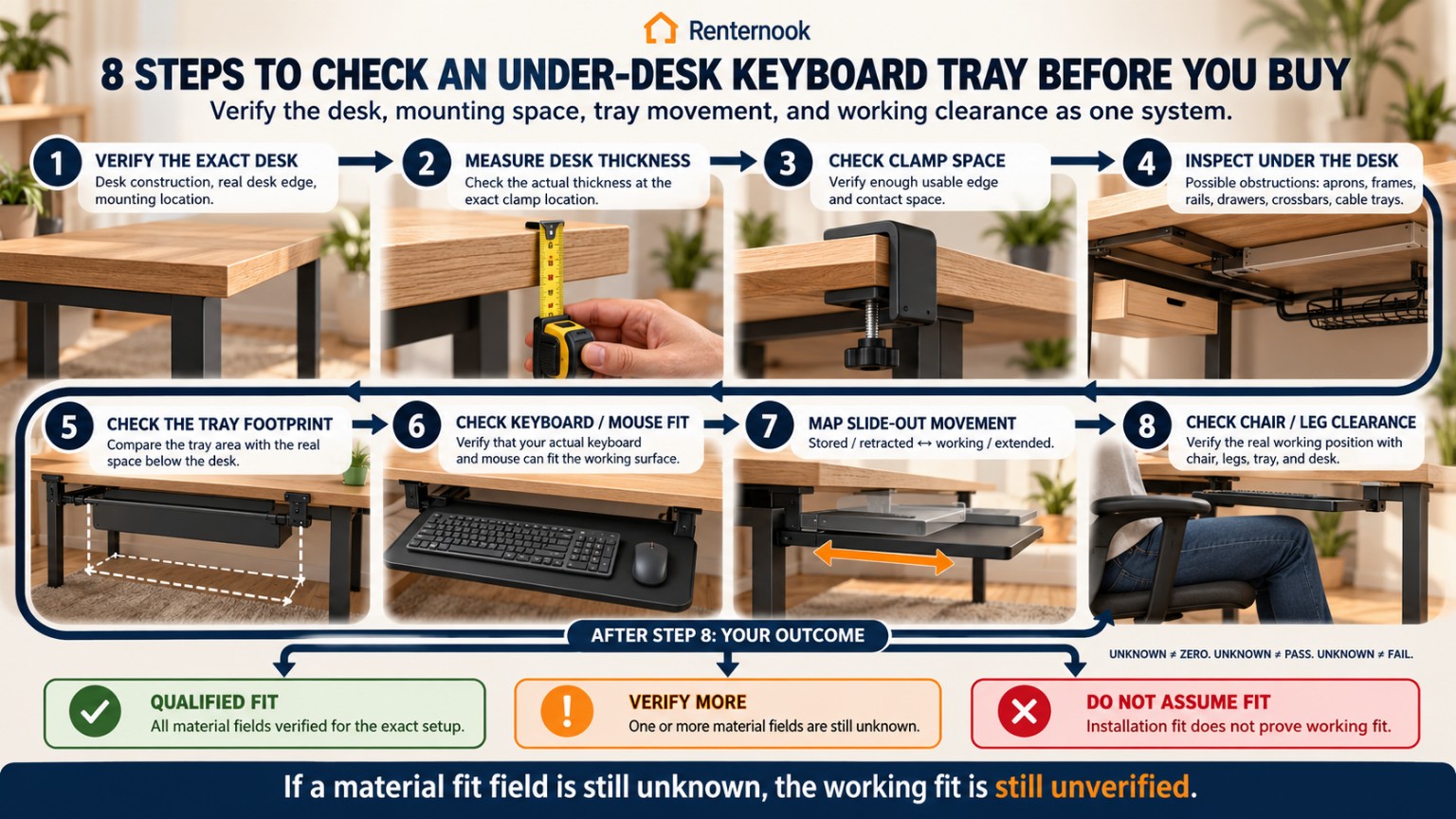
Before comparing the two trays, separate the buying decision into eight checks.
1. Desk construction
Identify what the desktop and front edge are actually made of and how the desk is assembled.
A clamp-on tray does not automatically prove that every desktop material, edge profile, hollow panel, glass surface, composite top, or unusual desk structure is suitable.
If the manufacturer does not establish compatibility with your exact desk construction, keep that question open.
2. Clamp space
The clamps need a usable front-edge location.
Do not measure only the visible top surface.
Look underneath for:
- aprons;
- support rails;
- drawer boxes;
- cable trays;
- standing-desk control boxes;
- crossbars;
- metal frames;
- decorative lips or thick edge profiles.
The tray may fit the published desktop-thickness range and still fail because the clamp cannot sit where it needs to sit.
3. Desk thickness
This is a model-specific compatibility gate.
For the two exact products in this guide:
- MOUNT-KB05HB: VIVO lists compatible desktop thickness from 0.5 to 3.4 inches.
- MOUNT-KB05D: VIVO lists compatible desktop thickness from 0.5 to 1.25 inches on the product family page that includes the KB05D variant.
Those ranges are not interchangeable.
A thicker desk that fits the HB range may be outside the published D range.
4. Underside retract space
Both manuals make the under-desk storage path part of the fit problem.
The manuals call for 12 inches of under-desk clearance free of obstacles for full retraction.
That means the track and stored tray need a clear underside zone.
A drawer, rear support, cable basket, power strip, controller, or other object inside that zone can block the tray even if the front clamp fits.
5. Tray footprint
Both locked products use a published tray surface of 26.8 × 11 inches.
That gives you a useful surface size to compare with your actual keyboard and mouse.
But do not stop at keyboard width.
Check the full working setup:
- keyboard width and depth;
- mouse space on the side you use;
- wrist-rest depth if you use one;
- whether the keyboard cable or receiver position creates interference;
- whether the mouse still has enough usable travel.
A keyboard that technically fits the tray can still create a poor working layout if the mouse has almost no usable area.
6. Slide-out movement
The tray changes states.
You need to check:
- stored;
- partially extended;
- fully extended;
- the transition between those states.
The product page and assembly manual may describe extension using different reference points, so do not merge numbers that are based on different measurement definitions.
This matters particularly for the MOUNT-KB05D, where the product page and manual describe extension differently.
7. Chair and leg clearance
An under-desk tray occupies space where your body and chair already need to work.
Check:
- knee clearance in the seated position;
- thigh clearance;
- whether the tray height interferes with your preferred chair height;
- whether armrests hit the tray or clamps;
- whether your knees contact the stored tray or rails;
- whether you can roll the chair forward and backward naturally.
If chair-to-desk fit is already tight, see Renternook’s guide to compact office chairs for small desks for a separate check of chair body, arm, tuck-under, and movement states.
8. Working fit
Only after the first seven checks should you decide whether the tray works for the setup.
The final question is not:
“Can I attach it?”
It is:
“Can I attach it, store it, pull it out, type and use the mouse, move my legs, and move my chair without creating a new conflict?”
That is the difference between installation fit and working fit.
Quick Comparison: Two Under-Desk Keyboard-Tray Roles
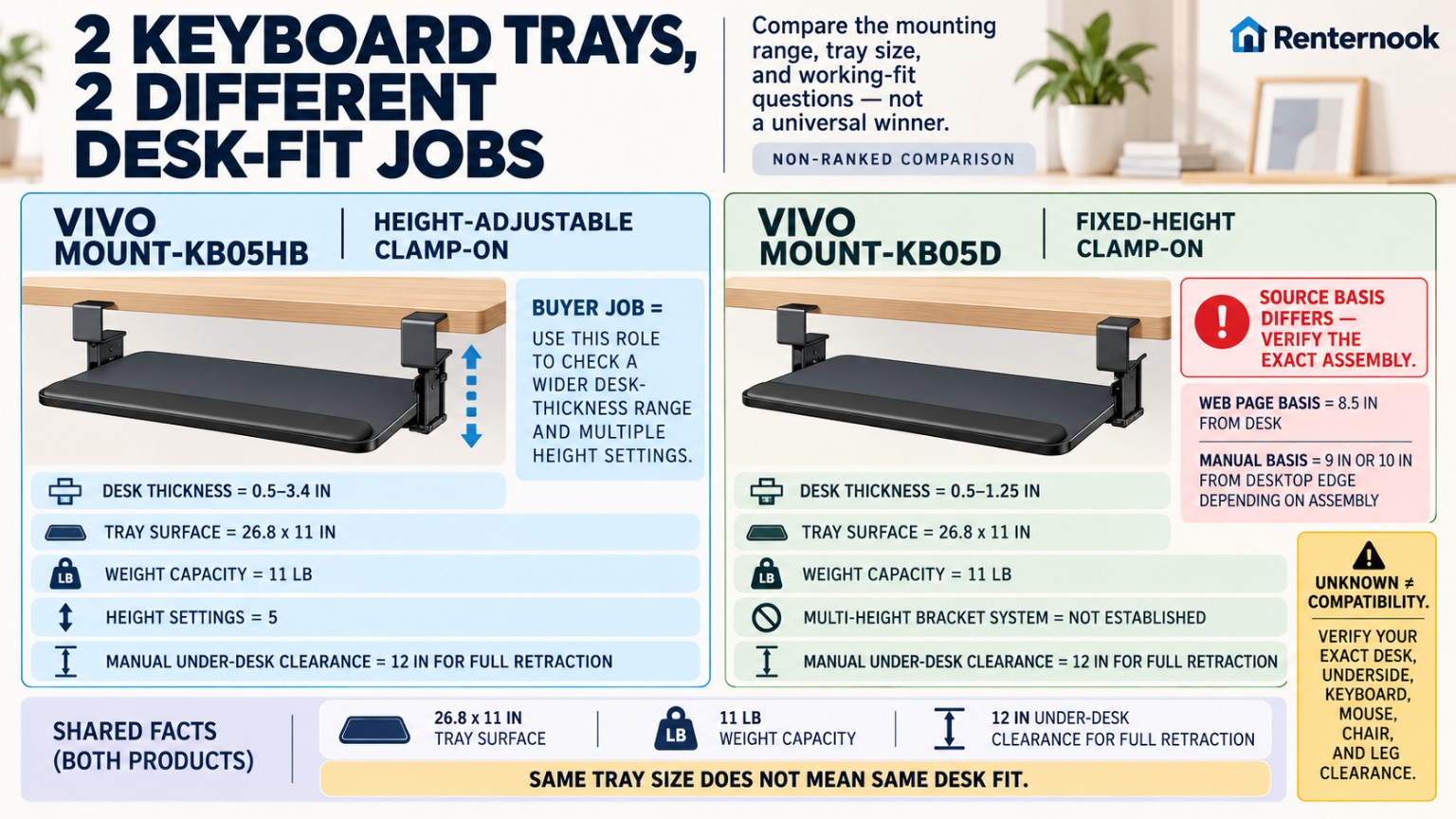
| Product | Locked role | Published desktop thickness | Tray surface | Published weight capacity | Height architecture | Manual under-desk retract clearance |
|---|---|---|---|---|---|---|
| VIVO MOUNT-KB05HB | Height-adjustable clamp-on | 0.5–3.4 in | 26.8 × 11 in | 11 lb | 5 height settings | 12 in |
| VIVO MOUNT-KB05D | Fixed-height clamp-on | 0.5–1.25 in | 26.8 × 11 in | 11 lb | Multi-height bracket system not established | 12 in |
The table is not a ranking.
Both products can create the same core decision problem—mounting a 26.8 × 11-inch tray below a desk—but they give you different adjustment and compatibility boundaries.
Unknown does not mean zero, pass, or fail.
1. VIVO MOUNT-KB05HB — Height-Adjustable Clamp-On Role
Official product page: https://vivo-us.com/products/mount-kb05hb
Official manual: https://cdn.shopify.com/s/files/1/1190/2562/files/MOUNT-KB05HB_Series_REV4_online.pdf?v=1740074714
What This Role Adds
The MOUNT-KB05HB is useful as the height-adjustable role because VIVO publishes both a broader desktop-thickness range and a five-setting side-bracket system.
The product page lists:
- compatible desktop thickness: 0.5–3.4 inches for MOUNT-KB05HB / MOUNT-KB05HD;
- tray dimensions: 26.8 × 11 inches;
- 33 inches including clamps;
- weight capacity: 11 lb;
- track length: 12.3 inches;
- tray thickness: 0.6 inch;
- tray position from 0.25 to 7 inches below the desk surface, depending on desk thickness and height setting;
- side-bracket height adjustment of 2.4 inches across five settings, with 0.6 inch between settings.
The manual also shows five height settings in the support-bracket system.
Why Height Adjustment Matters on a Small Desk
Height adjustment does not prove comfort or ergonomic suitability for a particular person.
What it gives you is another fit variable to test.
For a small desk, that can matter because the tray has to share limited under-desk space with your legs and chair.
A lower tray position may create more separation from the desktop but reduce leg clearance.
A higher position may preserve more leg room but change the relationship between the tray, desk edge, keyboard height, and chair.
The manual itself visually distinguishes lower settings as creating less leg room and higher settings as creating more leg room.
Treat that as configuration information, not a health guarantee.
Clamp Fit Is More Than Thickness
The product page’s 0.5–3.4-inch range is useful, but the manual adds an important configuration detail.
The clamp hardware has multiple thickness positions. The manual shows the clamp pre-assembled for one range and explains how to reposition the upper clamp for other desktop thicknesses.
So the buyer job is not only:
“Is my desk inside 0.5–3.4 inches?”
It is also:
“Can the clamp physically reach and sit correctly on this exact desk edge without being blocked by underside structure?”
The manual also warns against over-tightening the clamps.
Check the 12-Inch Retraction Zone
The manual states that the tray needs 12 inches of under-desk clearance free of obstacles for full retraction.
This is one of the most important small-desk checks because compact desks often use the underside for other things.
Before buying, inspect the path behind the desk edge.
Look for:
- drawer hardware;
- desk aprons;
- support rails;
- standing-desk crossbars or control boxes;
- cable baskets;
- mounted power strips;
- other under-desk accessories.
If something occupies that retract path, installation at the front edge does not prove the tray can store correctly.
Standard vs. Extended Assembly
The MOUNT-KB05HB manual shows two extension-assembly options.
In the standard arrangement, the tray is shown flush with the desktop edge in the stored view.
The alternate extension arrangement allows additional extension in use but changes the stored relationship to the desk edge.
That is a configuration dependency.
Do not assume that one extension number describes every assembly state.
Best Fit-First Use Case
Choose the HB role for comparison when:
- your desktop is thicker than the D model’s published range;
- you need a published multi-height bracket system;
- you are willing to measure the vertical under-desk relationship as part of the setup;
- the 12-inch retract zone is clear;
- the clamps have a usable front-edge location.
That is not a claim that the HB is universally better.
It is the role with more published height-adjustment flexibility.
What Remains Setup-Specific or Unknown
The current first-party evidence does not establish:
- universal compatibility with every desk material or construction;
- compatibility with every desk apron or frame shape;
- your exact knee or thigh clearance;
- your exact chair interaction;
- your exact keyboard-and-mouse working fit;
- renter approval under your lease;
- damage-free installation on every desktop.
Those remain desk- and user-specific checks.
2. VIVO MOUNT-KB05D — Fixed-Height Clamp-On Role
Official product page: https://vivo-us.com/collections/keyboard-tray-mounts/products/mount-kb05e?variant=33377889812579
Official manual: https://cdn.shopify.com/s/files/1/1190/2562/files/MOUNT-KB05A_Series_REV3_online.pdf?v=1740074712
What This Role Adds
The MOUNT-KB05D is the simpler fixed-height clamp-on role in this comparison.
The official VIVO product family page that includes the KB05D lists:
- compatible desktop thickness: 0.5–1.25 inches;
- tray dimensions for the KB05E/A/D/GY/N/W family: 26.8 × 11 inches;
- 32.5 inches including clamps;
- weight capacity: 11 lb;
- track length: 12.3 inches;
- tray thickness: 0.6 inch;
- published orientation of 1.5–2.75 inches below the desk surface for the family configuration shown on the page.
The exact KB05D manual identifies MOUNT-KB05D as one of the SKUs covered by the MOUNT-KB05A Series manual.
Do Not Turn This Into a Height-Adjustable Model
The manual allows clamp placement along the slider-bracket assembly for the extension configuration, but the current evidence does not establish the same five-position height-bracket system used by the MOUNT-KB05HB.
That distinction must stay intact.
For this article:
- HB = published five-height-setting architecture;
- D = fixed-height role;
- do not transfer HB’s height-adjustment claim to D.
Desk Thickness Is the First Gate
The D model’s published desktop-thickness range is narrower than the HB’s.
If your desktop is thicker than 1.25 inches, the D is outside the published product-page range used for this comparison.
That does not automatically make the HB fit, because desk construction and clamp geometry still need their own check.
It simply means the D has failed the published thickness gate for that desk.
The 12-Inch Retraction Zone Still Applies
The KB05A-series manual states that 12 inches of under-desk clearance free of obstacles is needed for full retraction.
The manual also notes that the tray may remain partially extended in one stored configuration.
So you need to inspect both the retract path and the resulting stored position.
A small desk can be especially sensitive to that distinction because a tray that remains farther forward may affect knee space or chair approach.
Keep the Extension Measurements Separate
This is a critical claim-control point.
The VIVO product page describes the tray as sliding out a total of 8.5 inches from the desk.
The KB05A-series manual describes two assembly options in which the tray extends 9 inches or 10 inches from the desktop edge when extended.
Those values are not automatically contradictory because they are presented using different measurement descriptions and contexts.
Do not average them.
Do not replace one with the other.
Do not label them as the same measurement.
Use the product-page extension and the manual’s desktop-edge extension descriptions as separate evidence.
Best Fit-First Use Case
Choose the D role for comparison when:
- your desk is inside the published 0.5–1.25-inch thickness range;
- you do not need the HB’s published five-setting height architecture;
- you have a clear clamp location;
- the underside has the required retract path;
- the resulting fixed vertical relationship works with your legs and chair.
Again, this is not a quality ranking.
It is a different fit architecture.
What Remains Setup-Specific or Unknown
The current first-party evidence does not establish:
- a multi-height bracket system equivalent to the HB;
- universal desk-material compatibility;
- universal apron or frame clearance;
- your exact leg or knee clearance;
- your exact chair movement envelope;
- renter approval;
- guaranteed damage-free installation;
- one single extension figure that replaces both the web-page and manual descriptions.
Keep those boundaries visible.
Same Tray Surface, Different Mounting Problem
Both products use the same locked 26.8 × 11-inch tray surface, but that does not make them interchangeable.
The desk interface changes the decision.
If desk thickness is the constraint
The HB has the broader published thickness range in this comparison:
- HB: 0.5–3.4 in
- D: 0.5–1.25 in
A desktop inside both ranges still needs clamp-space and desk-construction checks.
If vertical tray position is the constraint
The HB gives you a published five-setting height architecture.
The D does not have that established in the current evidence.
So if vertical placement is material to your leg or chair clearance, the HB gives you more published configuration information to work with.
If underside obstacles are the constraint
Neither model gets a free pass.
The manuals require a clear 12-inch under-desk retract zone.
That means a compact desk with a shallow or crowded underside may fail either tray even when the front-edge clamp fits.
If chair clearance is the constraint
Measure the tray in its stored and working positions against your chair.
A clamp-on tray adds hardware below the desk and in front of the seated user.
It can change:
- how close the chair can move to the desk;
- where your knees sit;
- whether chair arms hit the tray or clamp area;
- how much room you need to get in and out.
This is why working fit is a separate gate from installation fit.
What to Measure Before You Buy
Use this sequence with your actual desk.
A. Desk edge
Measure and inspect:
- desktop thickness at the exact clamp location;
- edge shape;
- flat top and underside contact surfaces;
- trim or beveled edges;
- nearby desk legs or brackets.
B. Clamp zone
Mark where the left and right clamps would sit.
Check whether those points conflict with:
- drawer slides;
- frames;
- aprons;
- cable-management hardware;
- desk controls;
- other clamps, monitor arms, or accessories.
C. Under-desk retract zone
Measure at least the manufacturer-required 12-inch clear underside zone for full retraction.
Do not count a space as clear if a cable basket or frame occupies it.
D. Keyboard and mouse
Place your keyboard and mouse on a 26.8 × 11-inch footprint or mark that size on a table.
Check whether you have enough usable mouse area after the keyboard is positioned the way you actually type.
E. Leg and chair space
Sit at the desk at your normal chair height.
Mark where the tray would sit.
Then test:
- knees;
- thighs;
- chair arms;
- forward chair movement;
- rolling back;
- sitting down and standing up.
F. Working and stored states
A tray must work in more than one position.
Check:
- fully stored;
- partially extended;
- fully extended;
- chair tucked in;
- chair in seated position;
- chair pulled back for entry and exit.
Do not make the final decision from one static state.
Common Buying Mistakes
Mistake 1: Measuring only desk thickness
Thickness is necessary, but not sufficient.
The clamp can still hit an apron, frame, drawer, or control box.
Mistake 2: Assuming “clamp-on” means universal desk fit
It does not.
Desk construction, edge geometry, material, and underside structure still matter.
Mistake 3: Ignoring the 12-inch retract path
If the tray cannot retract because something is behind it, the installation may technically attach but fail in normal use.
Mistake 4: Measuring the keyboard but not the mouse
The tray is 26.8 × 11 inches on both locked products.
Use the full keyboard-and-mouse layout, not keyboard width alone.
Mistake 5: Treating the tray’s installed state as the final footprint
The tray moves.
Your chair moves.
Your legs move.
Working fit is dynamic.
Mistake 6: Transferring HB height adjustment to the D model
Do not do this.
The HB has a documented five-setting height system.
The current D evidence does not establish the same system.
Mistake 7: Combining different extension measurements
The D web page and manual describe extension using different measurement bases.
Keep those claims separate.
Mistake 8: Assuming clamp pads guarantee no damage
The products include pads, but that does not establish a universal no-damage guarantee for every desktop finish or material.
Check the exact desk surface and manufacturer instructions.
Renter Considerations
Clamp-on hardware can look attractive to renters because it does not use a wall-mounted installation in the configurations discussed here.
But that does not justify calling either model universally “renter-safe.”
Before buying, check:
- whether the desk belongs to you or the property;
- whether the desk surface can tolerate clamping;
- lease or furnished-unit rules if the desk is not yours;
- whether clamp pads and pressure points are suitable for the exact finish;
- whether other desk-mounted accessories already compete for the same edge.
The correct boundary is simple:
Clamp-on does not automatically mean no-damage, lease-approved, or renter-safe.
Final Fit-First Decision
For a small desk, an under-desk keyboard tray should pass four different layers:
- Desk fit — the exact desk construction, edge, thickness, and clamp zone work.
- Storage fit — the underside has the clear path needed for the tray to retract.
- Input-device fit — your keyboard and mouse work on the actual tray surface.
- Working fit — the tray, your legs, and your chair can all use the same small workspace without creating a conflict.
The two locked product roles make different parts of that decision easier to evaluate:
- VIVO MOUNT-KB05HB gives you the broader published desktop-thickness range and a documented five-setting height architecture.
- VIVO MOUNT-KB05D gives you a simpler fixed-height clamp-on role with a narrower published desktop-thickness range.
Neither gets a universal fit claim.
Neither gets an automatic renter-safe claim.
Neither gets a no-damage guarantee.
And a successful clamp installation still does not prove the tray will work with your chair and legs.
Measure the desk edge.
Inspect underneath.
Mark the 12-inch retract zone.
Test the 26.8 × 11-inch keyboard-and-mouse footprint.
Then check the stored, extended, seated, and chair-movement states before you buy.
That is the Fit-First decision.
Sources and Methodology
Renternook did not physically test these products. Product-specific claims in this guide were checked against first-party VIVO sources for the exact locked model or the official product family page/manual that explicitly includes the exact model.
VIVO MOUNT-KB05HB
Product page: https://vivo-us.com/products/mount-kb05hb
Assembly manual: https://cdn.shopify.com/s/files/1/1190/2562/files/MOUNT-KB05HB_Series_REV4_online.pdf?v=1740074714
VIVO MOUNT-KB05D
Product family page with the locked KB05D variant: https://vivo-us.com/collections/keyboard-tray-mounts/products/mount-kb05e?variant=33377889812579
Assembly manual covering MOUNT-KB05D: https://cdn.shopify.com/s/files/1/1190/2562/files/MOUNT-KB05A_Series_REV3_online.pdf?v=1740074712
Internal Renternook guides used for decision context
Desks for Small Spaces: https://renternook.com/2026/09/01/desks-for-small-spaces-a-fit-first-guide-to-width-depth-and-chair-clearance/
Compact Office Chairs for Small Desks: https://renternook.com/2026/09/26/compact-office-chairs-small-desks/
Evidence boundaries
- The article does not use invented keyword volume or a keyword-lock claim.
- Current GSC query × page evidence remains unknown.
- Full topic-pipeline coverage remains partial.
- Unknown fit-critical values stay unknown.
- Product-page and manual extension descriptions are kept separate when they use different measurement bases.
- Product prices, stock, review counts, affiliate status, and performance rankings are not used as buying claims.