
Battery-Powered Water Leak Detectors for Under-Sink Cabinets: A Fit-First Guide for Renters
A practical guide to choosing a water-contact point, checking cabinet clearance, and deciding how you want to hear about a leak—without changing the plumbing.
Introduction
An under-sink leak doesn’t usually announce itself. You might spot a damp box, notice a musty smell, or open the cabinet to find water pooled beside the cleaning supplies. A small battery-powered detector can add an alert when liquid water reaches its sensing point. But the word under-sink on a product listing doesn’t tell you whether that detector will sit where your cabinet actually gets wet.
For renters, the right starting point isn’t a feature chart. It’s the cabinet: where water would travel, how much floor space is available, whether pipes or stored items block a sensor, and what you can reach when it’s time to replace a battery. This guide compares three specific approaches—Zircon Leak Alert (64003), Kidde Water Leak + Freeze Detector (60WLDR-W), and YoLink Water Leak Sensor 3 (YS7904W)—without ranking them. Their different designs make sense for different layouts and alert needs. [S1, S4, S8]
A detector isn’t a substitute for repairing a leak or contacting the landlord when plumbing needs attention. It doesn’t prevent water from escaping; it can only respond to water that reaches the appropriate sensing contacts, subject to the device’s instructions and working condition.
Quick Decision Frame: Start With the Job, Not the Brand
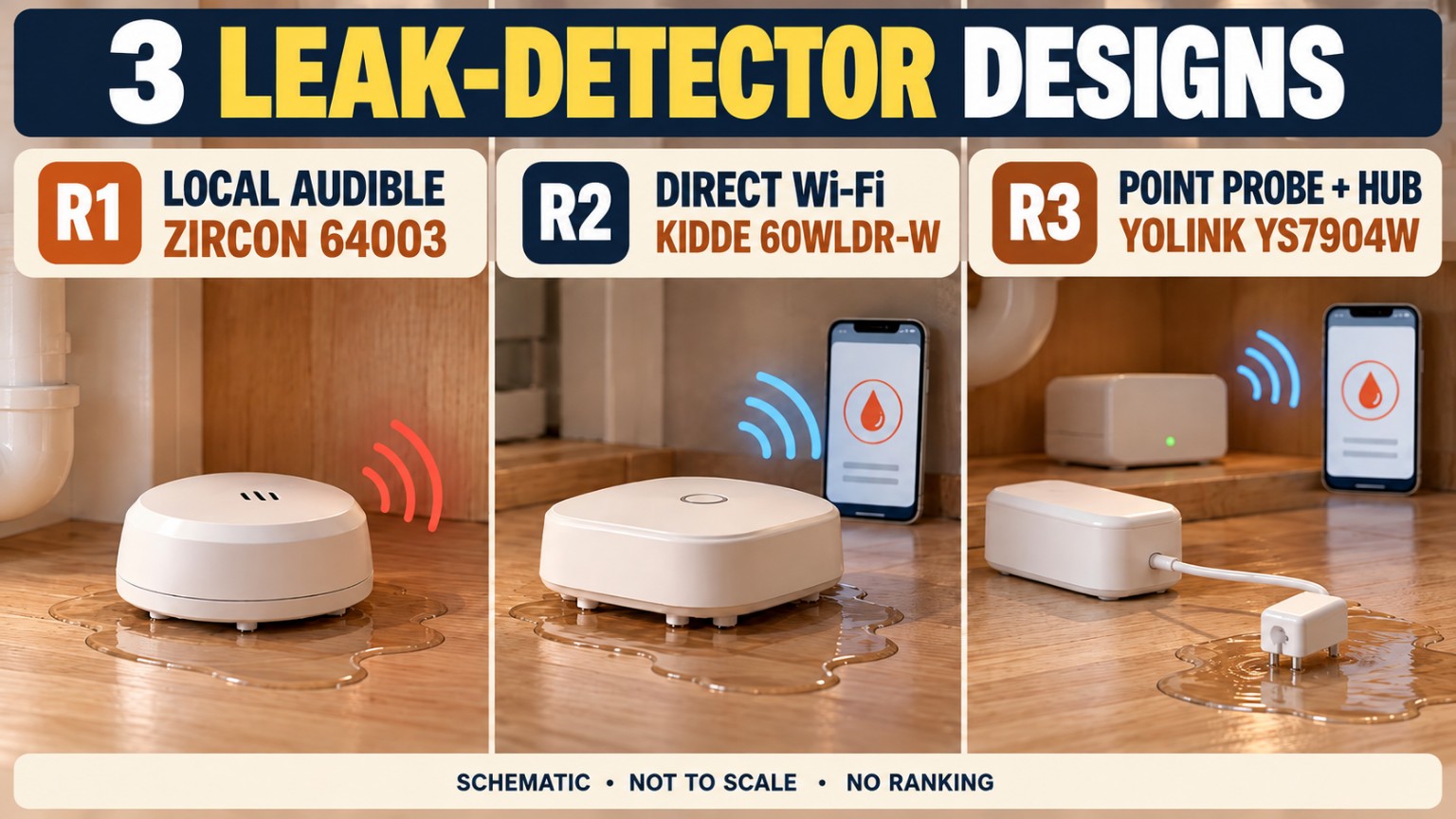
If somebody is usually home and can hear a local alarm: Look first at a self-contained audible unit. The Zircon 64003 needs a 9V alkaline battery, but it doesn’t need a wireless network or hub to sound when its contacts get wet. [S1, S2]
If you want a phone notification without a separate hub: Check the Kidde 60WLDR-W and the 2.4 GHz Wi-Fi conditions at your sink. The maker describes a local beep and Kidde app notifications; remote features depend on the network and setup. Its sensing electrodes are on the underside, and its guide specifically warns against metallic placement surfaces. [S4–S6]
If a tight wet spot is away from where the main sensor can sit: Examine the YoLink YS7904W with its remote two-pin point probe. Plan where the probe can touch water and where the main body, cable route, and YoLink hub will go. Full app functionality requires a compatible hub with an internet connection; the maker also describes a built-in audible sounder. [S8, S9]
No approach is automatically a better purchase. A workable match is the one whose water-contact point, maintenance route, and alert method fit the cabinet you actually have.
Why Under-Sink Leak Detectors Need Fit Checks
An under-sink cabinet is a surprisingly busy little space. Supply lines bend around shutoff valves. The drain trap hangs below the sink bowl. Stored bottles get moved, doors swing in, and cabinet bottoms may be covered with removable liners, foil-backed mats, or shallow trays. A detector can physically fit yet still be badly placed.
Think through two separate questions: Where would the first reachable water collect? and Will the sensing contacts remain accessible to that water? A drip can run down a pipe, land on a bottle, pool behind a raised lip, or collect on a shelf instead of the bottom panel. The detector doesn’t monitor an entire cabinet simply because it is inside it. The contact location determines what it can encounter.
Also separate alert coverage from water coverage. Hearing a beep through a closed door isn’t the same as receiving a phone alert while away. Conversely, a phone alert cannot arrive as expected if the wireless prerequisites aren’t met. A good fit check covers both.
Under-Sink Measurement Workflow: Five Minutes Before You Shop
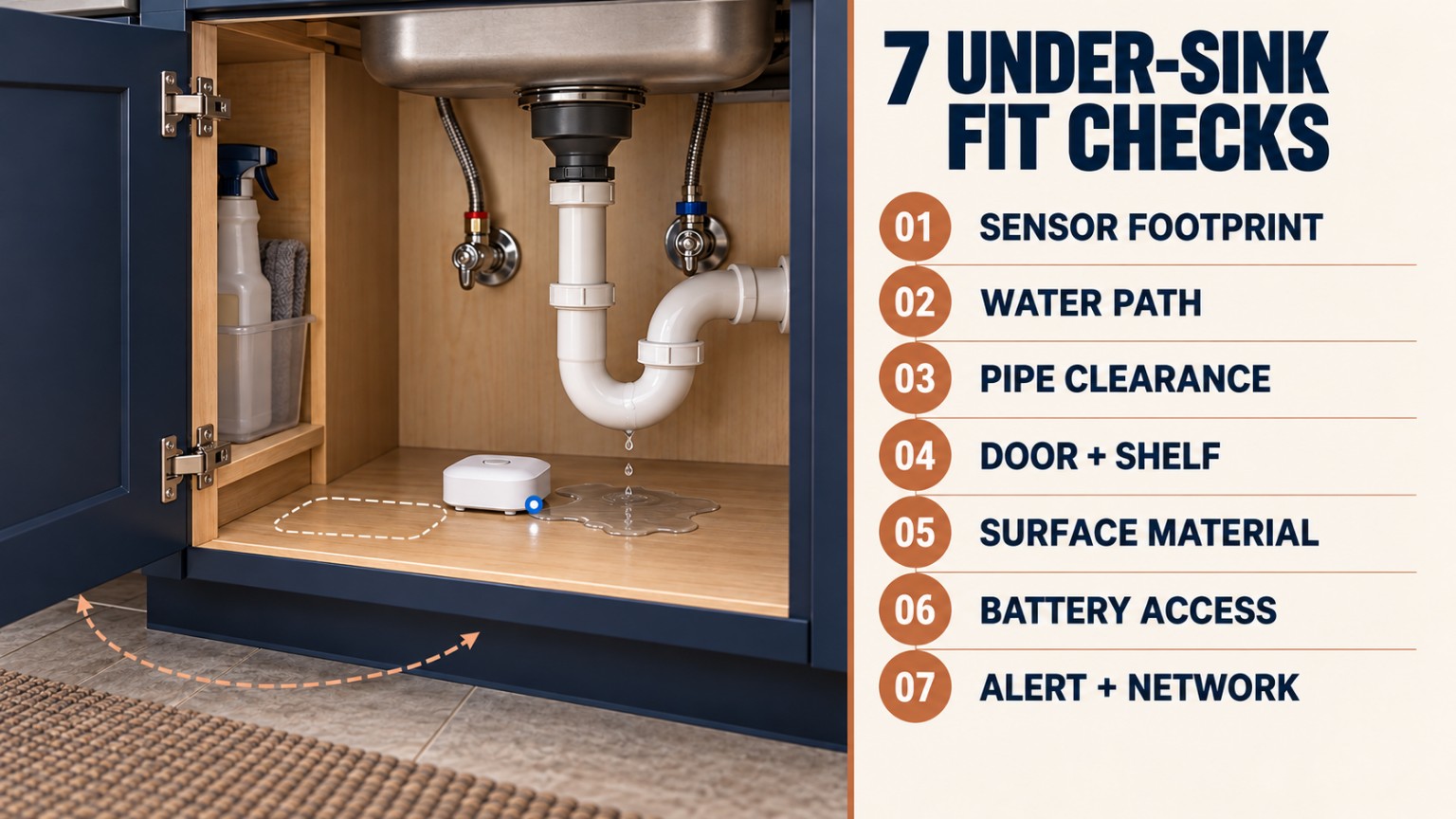
1. Empty and photograph the cabinet. Take one photo from the doorway and one showing both the cabinet floor and supply/drain connections. Don’t move or loosen any plumbing.
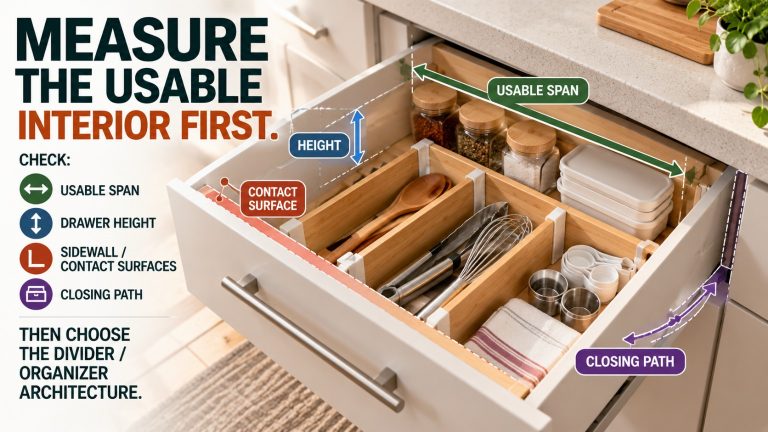
2. Measure the usable floor—not just the cabinet label. Record clear width and front-to-back depth around pipe penetrations, cabinet lips, supports, or a removable tray. Note the lowest accessible region.
3. Mark likely water paths. Look for where a visible supply connection or drain fitting would drip, and where that water would collect. A hypothetical path is a planning tool, not a leak diagnosis.
4. Measure obstacles above the floor. Check pipe-to-floor space, the underside of shelves or drawers, door swing, and the clearance needed to lift a unit for testing or battery replacement.
5. Plan the alert and maintenance routes. Note whether you will be home to hear an alarm, whether 2.4 GHz Wi-Fi reaches the cabinet, where a YoLink hub could remain powered, and how you will access the sensor without dismantling the cabinet.
Use a small paper rectangle matching the maker’s stated dimensions where those dimensions are consistent. Slide the template into the intended position and make sure the door and anything you store there can still move normally. For an unresolved product dimension, confirm the current exact unit measurements rather than treating a conflicting conversion as final.
Sensor Footprint: What Actually Fits on the Floor?
For a freestanding detector, look at the contact footprint, overall height, and access to its battery compartment—not just the square inches shown on the sales page. A slim shape may be easy to slide below a pipe but awkward to retrieve behind cleaning bottles. A round puck may sit easily in a corner yet require enough unobstructed floor for its bottom electrodes to reach water.
Zircon publishes an overall housing size of 1.38 × 2.40 × 4.28 inches for Leak Alert. Treat the dimensions as a starting point and check the actual orientation against your cabinet. Kidde’s drawings show a compact round unit, but measure the exact clearance at the intended floor location. YoLink publishes 2.44 × 2.44 × 0.80 inches for the Sensor 3 main body while also publishing conflicting metric dimensions: check the current hardware before planning a tight mount. [S1, S5, S8]
With YoLink, the main body doesn’t have to occupy the wettest spot if the remote probe can reach it. That flexibility comes with a cable-routing task. The exact probe-cable length for the locked YS7904W is not confirmed in the reviewed current-model evidence; do not plan a reach based on specifications for the older YS7904-UC family.
Water-Contact Path: Design for the First Puddle, Not the Prettiest Shelf
Contact-first rule: Find the point where water would touch the detector’s contacts or probe before you decide where the body should sit. For a detector with bottom electrodes, the housing needs to stand in a suitable position on a surface where water can reach those contacts. For a two-pin remote probe, the probe tip is the relevant sensing point; it isn’t a rope sensor that detects along its whole cable. [S2, S6, S9]
Ask whether a raised cabinet lip, mat ridge, tray edge, or a stack of boxes could keep water from reaching your chosen spot. If the cabinet has several independent low areas, a single detector point may not cover all of them. Don’t assume more devices are automatically necessary; first understand the likely paths, then decide whether a different point or additional coverage is warranted.
A detector also shouldn’t be casually submerged or placed in standing water to test it unless the maker’s testing procedure explicitly permits that. Keep the sensing contacts clean and use the manufacturer’s recommended check method.
Pipe Clearance: Leave Plumbing Alone
Check below the U-bend, near shutoff valves, and beside flexible supply hoses. You want a detector where it won’t press on a fitting, prevent a shutoff valve from turning, snag a hose, or get struck when something is pulled out of the cabinet. The right placement should not require loosening a drain, moving a supply line, or attaching anything permanently to the plumbing.
For a remote probe, make a gentle cable route with no pinched sections, sharp bends, or tension at the sensing tip. Do not route the cable across a door hinge or across an area where a bottle will repeatedly scrape it. If the body needs mounting, verify the maker’s approved method and the landlord’s requirements before using screws, adhesive, or brackets.
Cabinet Door and Shelf Clearance
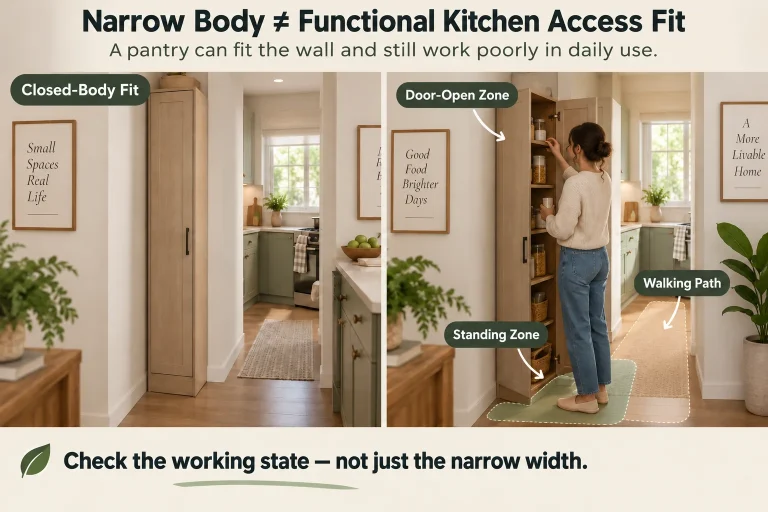
A cabinet that looks spacious with its doors open can feel quite different in use. Close both doors slowly with your proposed sensor or paper template in place. Pull the most frequently used bottle out. Check whether a sink drawer, pull-out organizer, or shelf edge hits the detector or dislodges the probe.
Leave a practical reach path for a battery check and for drying the area after a spill. Don’t bury the device behind a row of supplies and assume you’ll remember its location six months later. If it is hard to retrieve on a dry day, it will be harder to manage during a water incident.
Surface Material Constraints: A Renter-Safe Detail That Matters
Cabinet bottoms may be unfinished wood, coated particleboard, laminate, tile, plastic, or metal. The material isn’t just cosmetic. Kidde’s user guide expressly says not to install its detector on metallic surfaces, because they may activate the alarm. Zircon’s instructions also identify conductive surfaces such as metal and accumulated moisture on contacts as possible causes of nuisance alarms, with manufacturer-specific troubleshooting guidance. [S2, S6]
A removable liner can make cleanup easier, but a liner with a raised edge may redirect a small leak away from the detector. Don’t presume that an adhesive mount is damage-free, lease-approved, or suitable for every finish. If your rental rules are unclear, choose a non-permanent placement allowed by the product instructions, or ask permission before making changes. Keep the cabinet floor dry and stable during initial setup.
Battery Access: Plan the Second Visit Before the First
A battery-powered detector is only useful if its battery is present, functional, and checked. Zircon uses one 9V alkaline battery (not included); Kidde uses two AA batteries; and YoLink YS7904W uses two AAA alkaline batteries according to their product documentation. [S1, S5, S8]
Before buying, picture how you’ll remove or open the detector when a low-battery warning appears. Can you reach it without moving plumbing? Can you replace batteries without pulling the probe cable into a cabinet hinge? Can you put everything back in the same measured position afterward?
Use the maker’s instructions for battery chemistry, polarity, testing, and replacement. Do not rely on a claimed battery-life number from a different product generation or on a typical-life estimate for your own maintenance schedule. A simple recurring inspection and a note of where the unit is located are more reliable than forgetting it until it beeps.
Alert Method: Who Needs to Hear About Water?
The basic decision is local sound, phone notification, or a combination, plus the infrastructure each approach needs.
A local alarm is straightforward when someone is nearby and can hear it. It may be a weaker fit when the apartment is empty for long hours or the cabinet is behind a closed door in another room. App-based alerts add an off-site notification route but introduce prerequisites: compatible phone/app setup, network availability, power to the router or hub, and notifications enabled on the phone. An alert is a way to prompt inspection and action—not proof that a leak has been stopped.
Local Sound vs. App Alert: The Practical Trade-Off
Zircon 64003: The maker describes a self-contained water-contact alarm with 90 dB sound intensity. This is a maker-published specification, not a guarantee that you’ll hear it everywhere in an apartment. No separate Wi-Fi or hub dependency is part of this local alarm setup. [S1]
Kidde 60WLDR-W: The maker describes both an audible water alarm and mobile notifications through the Kidde app. Its app pathway requires compatible 2.4 GHz Wi-Fi and ongoing network access. A hub is not required. Avoid treating app delivery as guaranteed; a disconnected router, app permissions, or setup issue can affect the alert pathway. [S4–S6]
YoLink YS7904W: The maker describes an integral audible sounder and a LoRa wireless approach with an app pathway through a YoLink Hub or SpeakerHub connected to the internet. The sounder is a local capability; phone notifications require the specified ecosystem. Do not confuse the remote water probe with a remotely notified phone. They solve different problems. [S8]
These are different manufacturer claims, made under different conditions. This guide does not rank or compare alarm loudness across products.
Wi-Fi and Hub Dependencies: Check Before Checkout
If phone alerts matter, walk through the complete chain rather than checking a “smart” icon on the box.
Kidde: Verify that your apartment has compatible 2.4 GHz Wi-Fi available where the detector will sit and that the app can be configured. According to Kidde, setup doesn’t need an extra hub. Ask whether router access, phone permissions, or a shared-building network will complicate setup. [S4, S6]
YoLink: Verify that you have or will obtain a compatible YoLink Hub or SpeakerHub, a power location for it, and an internet connection. A sensor alone is not a complete off-site alert system. YoLink discusses device-to-device backup options, but those should not be presented as a substitute for normal hub-based phone notifications. [S8]
Zircon: This choice has no app or Wi-Fi setup requirement for its audible role. That simplicity means it does not provide remote phone alerts by itself. [S1]
If the apartment’s router is controlled by the landlord, or the signal is weak behind cabinet walls, verify the network arrangement before ordering a smart detector. Do not assume a published open-air wireless range applies under a particular sink.
Maintenance Workflow: A Small Routine Worth Keeping
At setup: Record the model, install batteries exactly as directed, configure any wireless connection, follow the manufacturer’s test procedure, and photograph the final placement. Confirm that the test or status behavior matches the guide. For app products, verify that the phone receives the test/status information the maker says it should provide.
On your normal household check-in: Open the cabinet, look for real moisture, confirm the detector hasn’t been knocked aside, check that the probe still sits at its intended contact point, and make sure no new storage item blocks access. Check for low-battery indications and any offline-status warnings.
After a leak, spill, or nuisance alarm: Treat real water as the priority. Stop use of an affected fixture if appropriate, avoid electrical hazards, document damage, and notify building maintenance or the landlord according to your lease. Clean, dry, reset, or replace the detector only as the manufacturer directs. Re-measure before reinstalling because a new tray, liner, or plumbing repair may alter the water path.
No detector replaces your rental’s maintenance procedures, a working shutoff strategy, or appropriate professional plumbing help.
Zircon Leak Alert 64003: Self-Contained Audible Detection
What it is: A simple, battery-powered water detector designed to sound when water bridges its sensing contacts. Zircon lists under-sink placement among the intended indoor uses and publishes a 90 dB sound-intensity specification. It uses a 9V alkaline battery that isn’t included. [S1, S2]
Where the fit works conceptually: A reasonably open, accessible cabinet floor with a likely water-collection point, and a household in which someone can respond to an audible alarm. You can place it without setting up a network or buying a separate wireless hub.
What to measure: Check the manufacturer’s 1.38 × 2.40 × 4.28-inch overall size against floor space and surrounding pipes. Make sure the sensing strips can contact water where it would collect. Keep enough room to reach the battery cover and avoid an unstable or conductive placement that could cause nuisance behavior. [S1, S2]
What to know before buying: This is local audio, not a phone-notification system. Whether you personally hear it through closed doors or while wearing headphones is unknown. A detector left in a dry pocket of the cabinet won’t respond to water pooling somewhere else. Zircon’s 90 dB figure is a manufacturer’s claim; retailer figures vary, so this guide does not turn them into a performance comparison.
Renter takeaway: Favor this architecture when you want a straightforward warning at the water-contact point and can maintain a freestanding unit without changing the cabinet.
Kidde Water Leak + Freeze Detector 60WLDR-W: Direct Wi-Fi App Alerts
What it is: A battery-powered detector that uses bottom electrodes for water presence and offers a local audible alert along with app notifications. Kidde describes direct 2.4 GHz Wi-Fi setup without a separate hub. The product also has a temperature-related warning function, but this guide focuses on under-sink liquid-water detection. The retail listing may call the product 60WLDR; the technical model is 60WLDR-W, and Kidde’s ordering information includes 21031208. [S4–S7]
Where the fit works conceptually: A level, clean, dry, nonmetallic cabinet floor where water is likely to reach the bottom electrodes, with the necessary Wi-Fi and phone-notification setup available. It may suit a renter who wants an alert while away and does not want to manage a separate smart-home hub.
What to measure: Verify a stable footprint near the low point, clearance from plumbing and the door, and access to the battery compartment. Check any pull-out trays, raised liner edges, or cleaning supplies that could keep the electrodes away from the first puddle. Follow Kidde’s prohibition against placement on metal. [S5, S6]
What to know before buying: Kidde’s official datasheet says 40–100°F (4.4–37.8°C), while its user guide says 32–104°F (0–40°C) for the operating environment. These published ranges conflict. Don’t combine them into a single approved range or assume the wider figure controls; ask Kidde to confirm the applicable specification for your unit before using it in conditions near either boundary. The detector also depends on the stated network and notification setup for phone alerts. [S5, S6]
Renter takeaway: Consider this architecture when phone notification is important, you can verify suitable 2.4 GHz Wi-Fi, and the under-sink floor can satisfy its specific surface and placement requirements.
YoLink Water Leak Sensor 3 YS7904W: Remote Two-Pin Point Probe
What it is: A battery-powered water detector with a separate two-pin probe for detection at a precise point. YoLink describes a built-in audible alarm and LoRa connectivity. Full app functionality requires a compatible YoLink Hub or SpeakerHub with internet access. The maker lists two AAA alkaline batteries for the current YS7904W offering. [S8, S9]
Where the fit works conceptually: A cabinet with a likely wet corner or narrow space that a larger sensor body cannot occupy comfortably, provided a probe cable can be routed without strain or pinching. The body can be positioned where you can reach its controls and batteries, while the probe sits at the water-contact point.
What to measure: Draw the entire route: sensor body → acceptable mounting or resting point → cable path → two-pin probe → expected first water location. Check hinges, shelves, pipe edges, and access to the hub-powered wireless setup. The exact probe-cable length for the locked YS7904W is unverified, so get the current manufacturer’s length before you purchase. Never substitute the 4.2-foot figure from older YS7904-UC-family material. [S8, S10]
What to know before buying: The manufacturer publishes 2.44 × 2.44 × 0.80 inches and 83.06 × 30.99 × 14.99 mm for its device dimensions, but those unit sets do not correspond. Treat the dimension conversion as unresolved and verify current hardware measurements before committing to a tight mounting location. Also, the probe senses at its tip; the cable itself is not a rope-style water-sensing run. [S8, S9]
Renter takeaway: Consider this architecture for an awkward or recessed water-contact point—if you are comfortable planning both the probe route and the separate hub/internet requirements.
Three Detector Architectures Compared — No Ranking
Fit or buying question
Zircon Leak Alert 64003
Kidde 60WLDR-W
YoLink YS7904W
Water-contact design
Sensing strips on self-contained body
Electrodes on the bottom of a freestanding detector
Remote two-pin point probe at end of cable
Primary alert setup
Local audible alarm
Local audible alarm + Kidde app path
Local audible sounder + YoLink app path
Network dependency for phone alerts
No phone alert offered
Compatible 2.4 GHz Wi-Fi; no hub
Compatible YoLink Hub/SpeakerHub + internet
Battery format
One 9V alkaline; not included
Two AA batteries
Two AAA alkaline batteries
Placement question
Can the body rest where water reaches its contacts?
Is the low spot level, dry at setup, and nonmetallic?
Can the probe reach the wet spot without a pinched cable?
Key pre-buy uncertainty
Will a person hear the local alarm from where they usually are?
Published operating-temperature ranges conflict
Published imperial/metric dimensions conflict; exact current-model probe length unknown
Rental implication
Plan accessible non-permanent placement
No metal surface; Wi-Fi setup; no plumbing changes
Plan body/probe route and any permitted mount; hub placement
| Fit or buying question | Zircon Leak Alert 64003 | Kidde 60WLDR-W | YoLink YS7904W |
|---|---|---|---|
| Water-contact design | Sensing strips on self-contained body | Electrodes on the bottom of a freestanding detector | Remote two-pin point probe at end of cable |
| Primary alert setup | Local audible alarm | Local audible alarm + Kidde app path | Local audible sounder + YoLink app path |
| Network dependency for phone alerts | No phone alert offered | Compatible 2.4 GHz Wi-Fi; no hub | Compatible YoLink Hub/SpeakerHub + internet |
| Battery format | One 9V alkaline; not included | Two AA batteries | Two AAA alkaline batteries |
| Placement question | Can the body rest where water reaches its contacts? | Is the low spot level, dry at setup, and nonmetallic? | Can the probe reach the wet spot without a pinched cable? |
| Key pre-buy uncertainty | Will a person hear the local alarm from where they usually are? | Published operating-temperature ranges conflict | Published imperial/metric dimensions conflict; exact current-model probe length unknown |
| Rental implication | Plan accessible non-permanent placement | No metal surface; Wi-Fi setup; no plumbing changes | Plan body/probe route and any permitted mount; hub placement |
All rows describe layout and setup implications, not comparative test results. Manufacturer claims are not independent measurements. See the original product instructions before installation. [S1–S9]
Buyer Scenarios: Match the Layout to the Alert Job
Scenario 1 — Small kitchen cabinet; someone is home most evenings
You have a low, accessible area near the supply connections, can hear a local alarm, and don’t want to manage apps. Start by checking whether a freestanding local-audio detector can place its contacts where water would actually collect. Compare the Zircon footprint with your cabinet, including the battery-access route. If the water path runs to another compartment, revisit the placement instead of assuming the whole cabinet is monitored.
Scenario 2 — Often away from home; reliable Wi-Fi is available
You want an alert that may reach your phone, and a separate hub isn’t appealing. Check the Kidde direct-Wi-Fi architecture: compatible 2.4 GHz access, app setup, nonmetallic placement, bottom-electrode contact, and a reachable battery location. If the cabinet bottom is metal, don’t ignore Kidde’s warning. If the temperature specification matters for your location, resolve the document conflict before buying.
Scenario 3 — Water would pool behind a tight pipe or in a recessed corner
A detector body won’t fit at the likely wet point, but a tiny probe might. Map the YoLink point-probe architecture on paper, including where the main body could remain accessible. Confirm the actual YS7904W probe length, hub availability, cable route, and lease-permitted mounting method. Don’t buy based on an older sensor-family cable specification.
Scenario 4 — A liner or removable organizer hides the cabinet floor
Before choosing any product, lift the liner or organizer (without disturbing plumbing) and map where water can pass. A raised tray wall may trap water away from a detector; a bottle may block your view of the sensor or knock it out of position. Change the proposed placement—not the maker’s claim—to reflect the real cabinet.
Scenario 5 — Wi-Fi is controlled by the building or is unreliable
If you cannot configure 2.4 GHz access or keep a hub online, start with the alert pathway you can actually support. A local sounder avoids the remote-notification infrastructure but won’t notify you on your phone by itself. If off-site notification is essential, resolve the network question before purchasing rather than hoping setup will work later.
Step-by-Step Buying Workflow
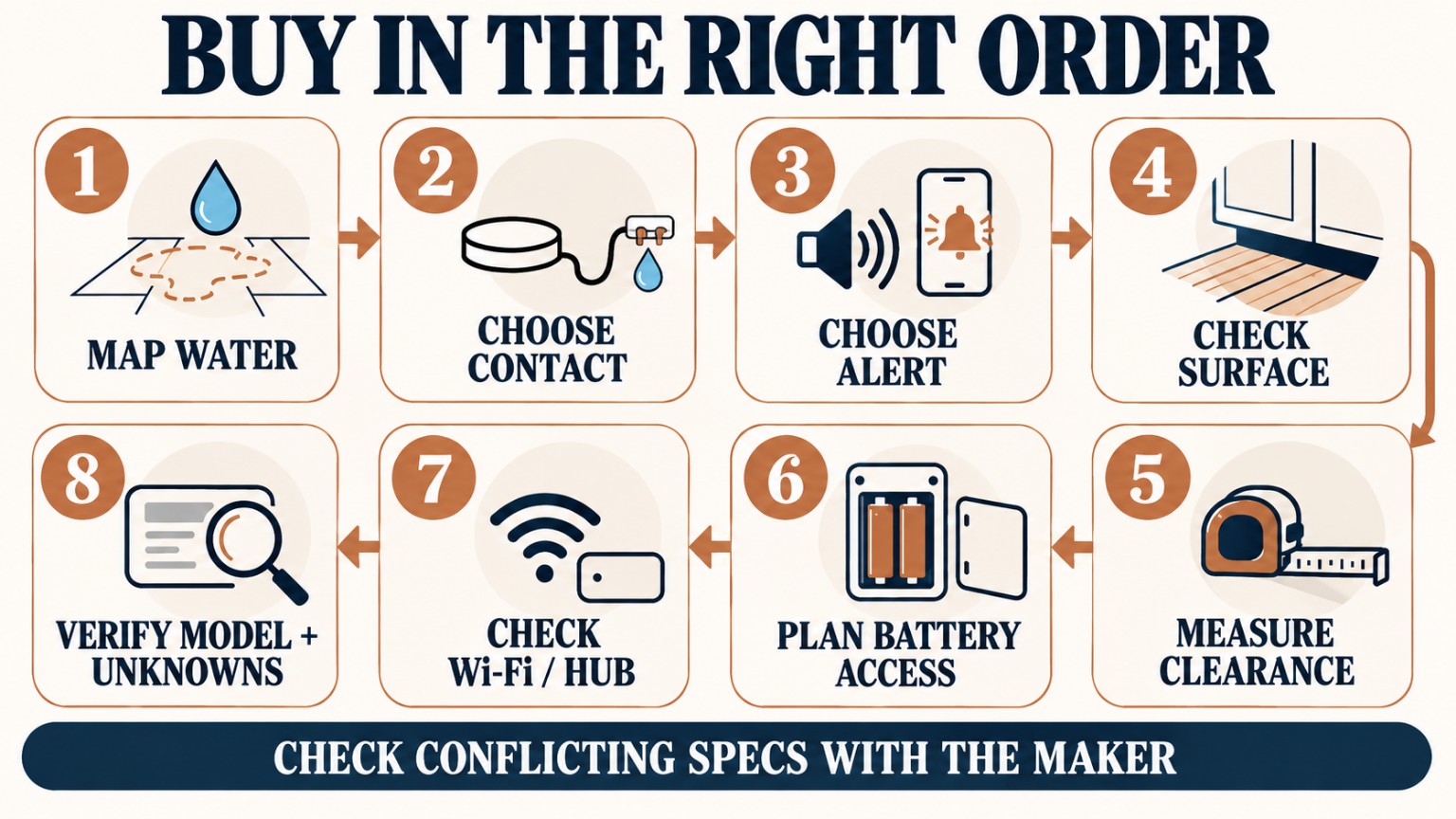
1. Confirm your buyer job. Detect liquid water at an under-sink cabinet point without permanent plumbing changes.
2. Find the likely first puddle. Map a plausible water path from visible fittings to the cabinet’s accessible low points.
3. Measure the usable space. Note floor width/depth, under-pipe height, door movement, shelf overhang, and an accessible battery route.
4. Identify the contact architecture. Freestanding strips, bottom electrodes, or a separate two-pin probe? Choose the architecture that physically puts a water-contact point in the planned spot.
5. Check the surface. Note metal, raised liners, unfinished boards, and trays. Apply the specific product’s limitations, especially Kidde’s metal warning.
6. Choose the alert method. Local alarm only, direct Wi-Fi app, or hub-dependent app. List who will receive and respond to an alert.
7. Verify the dependencies. For Kidde, check 2.4 GHz Wi-Fi and the app. For YoLink, confirm hub/SpeakerHub and internet. Don’t assume all smart devices work on an apartment’s shared network.
8. Resolve product-specific unknowns. Confirm Kidde’s applicable operating range if near a boundary; confirm YoLink’s physical dimensions and exact YS7904W probe length before a tight installation.
9. Check maintenance and rental rules. Make sure battery access remains easy and any mounting method is both maker-approved and allowed by your lease.
10. Then compare the exact model listing. Match Zircon 64003, Kidde 60WLDR-W (also retail 60WLDR, ordering 21031208), or YoLink YS7904W. Confirm package contents and the current instructions—not just a family photo.
11. Set up and test as directed. Photograph the final position, run the manufacturer’s functional check, and verify any app alerts or offline indications.
12. Keep the contact point clear. Reinspect after cleaning, changing cabinet storage, or getting a plumbing repair.
Final Buyer Checklist
☐ I measured usable cabinet-floor space, under-pipe height, and the door/shelf movement path.
☐ I identified where water would plausibly reach the sensing contacts or remote probe.
☐ I checked whether a liner, tray, bottle, or pipe could divert water or knock the detector aside.
☐ I checked the floor material and any manufacturer warning about metal or conductive surfaces.
☐ I can access the device for a test, drying, and battery replacement without moving plumbing.
☐ I know who will respond to a local alarm—and whether I actually need a phone alert.
☐ For Kidde, I can meet compatible 2.4 GHz Wi-Fi requirements; for YoLink, I have confirmed the hub and internet pathway.
☐ I have verified the exact model, batteries, package contents, and current manufacturer guide.
☐ I have not assumed an unverified YS7904W probe length or chosen a single Kidde temperature range from conflicting documents.
☐ My plan does not require drilling or altering the plumbing, and any mount complies with product instructions and rental rules.
☐ I will test the unit as instructed and recheck placement after storage or cabinet changes.
FAQ
Can a battery-powered water leak detector stop a leak?
No. These devices are warning tools, not plumbing repair or shutoff systems. They need water to reach their sensing contacts or probe. Follow your lease’s maintenance reporting procedure and get appropriate plumbing help if needed.
Where should a water leak detector sit under a sink?
At a stable, accessible location where liquid water is likely to reach its particular sensing contacts. The lowest visible point isn’t automatically right if a liner or tray redirects water. Use the manufacturer’s placement instructions; Kidde specifies a level, clean, dry, nonmetallic placement surface at setup.
Is a water leak detector renter-safe if it uses no screws?
Not automatically. Freestanding placement may avoid permanent alterations, but adhesive, liners, and mounts can still affect finishes or breach a lease. Follow the manufacturer’s instructions and your rental rules. No product here is promised to remove without damage.
Does Kidde 60WLDR-W need a smart-home hub?
Kidde says no separate hub is required for its 2.4 GHz Wi-Fi and Kidde app setup. Remote phone notifications still depend on a correctly configured network, app, and supported device. [S4, S6]
Does YoLink YS7904W send phone alerts without a hub?
The manufacturer specifies a compatible YoLink Hub or SpeakerHub connected to the internet for full app functionality. A built-in sounder is not the same as a phone-notification pathway. [S8]
Does the entire YoLink cable detect water?
No. YoLink distinguishes its Water Leak Sensor 3 point probe from rope-style sensors that detect along a cable. The intended water-contact location is the probe tip. [S9]
What if a product’s printed specs disagree?
Treat the discrepancy as unresolved. Kidde’s datasheet and guide publish different operating-temperature ranges; YoLink’s product page has inconsistent imperial and metric dimensions. Confirm with the manufacturer or the actual current-model unit before planning a tight or near-limit installation. [S5, S6, S8]
Should I put a detector on a shelf to keep it dry?
Usually that defeats the purpose unless the precise water path leads to that shelf. A water-contact detector cannot alert to a puddle it never touches. Keep the device in the manufacturer’s approved location, not just the cleanest-looking place.
How often should I replace the batteries or test the device?
Follow the current model’s user guide and low-battery indications rather than a generic internet estimate. Battery life depends on conditions and use, so this guide does not promise a fixed replacement interval.
Bottom Line: Buy for the Water Path You Can Actually Reach
Your cabinet layout should make the first decision. Zircon 64003 is a self-contained local-audio design; Kidde 60WLDR-W pairs bottom-contact detection with direct Wi-Fi/app alerts; YoLink YS7904W places the water-contact point at a separate two-pin probe and uses a hub-based ecosystem for full remote features. None is universally better, and none guarantees protection from every under-sink leak.
Before checkout, measure the usable space, identify the first likely wet point, choose the alert method you’ll actually maintain, and verify the exact model’s unresolved specifications. That small fit-first exercise is worth more than guessing from a product photo.
First-Party Sources and Manufacturer Instructions
The following are manufacturer or maker-hosted product resources used for product-specific statements. Read the version that matches the unit you buy.
[S1] Zircon — Leak Alert product page: https://www.zircon.com/products/leak-alert
[S2] Zircon — Leak Alert electronic water detector instructions: https://www.zircon.com/wp-content/uploads/2022/08/58834I-LkAlrt-Inst.pdf
[S4] Kidde — Water Leak + Freeze Detector 60WLDR-W product page: https://www.kidde.com/products/smart/water-leak-freeze-alarm
[S5] Kidde — 60WLDR-W product detail sheet: https://www.shareddocs.com/hvac/docs/2001/Public/02/product-detail-sheet-60WLDR-W.pdf
[S6] Kidde — 60WLDR-W user guide: https://www.shareddocs.com/hvac/docs/2001/Public/0C/user-guide-60WLDR-W.pdf
[S8] YoLink — Water Leak Sensor 3 / YS7904W product information: https://shop.yosmart.com/products/ys7904w-1
[S9] YoLink — Sensor 2 vs. Sensor 3 probe-versus-rope explanation: https://support.yosmart.com/hc/en-001/articles/13972413285401-Get-to-Know-YS7904-Water-Leak-Sensor-2-Q-As